


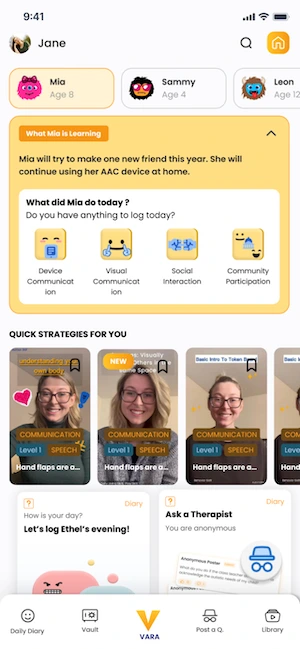
This tutorial shows parents how to post a question in the Autism360 App and what happens once it’s shared. It’s for any parent or caregiver who wants advice on something specific, from sleep and mealtimes to communication or school. You’ll also find tips for writing a question that gets a really useful answer.
Are you looking for a safe place to ask questions about autism, get expert advice and connect with others on the same journey? The Autism 360 App makes this possible, with full privacy and a supportive community.
📱 Download the Autism360 App and Enjoy a 7 Day Free Trial: Click here to get started
How to Ask a Question
- Type your question. Have a question on your mind? Just start typing it in the box at the top of the screen.
- Add the details. The more context you give, the more specific the advice can be (see the tip below).
- Tap Post. As soon as you begin typing, a “Post” button will appear below the box. Tap it when you’re ready to share your question.
- Start over if you need to. Need to start over? No problem. Just tap the bin icon to clear your question and begin again.
✅ Tip: Include as much useful information as you can, such as your child’s age, what you have noticed, when it happens and what you have already tried. This helps our therapists give you the best possible advice.
How to Write a Question That Gets a Helpful Answer
- Describe what you see. “My 6-year-old covers his ears and runs out of the room at birthday parties” gives more to work with than “my son hates parties”.
- Say when and where it happens. Time of day, place and what happened just before are often the most useful clues.
- Share what works. Mention your child’s interests and what helps them feel calm. Strategies often build on these.
- Mention how your child communicates. If your child is non-speaking or uses AAC, say so, so the suggestions fit.
- Ask one main question at a time. If you have several, post them separately so each gets a clear answer.
What Happens After You Post?
Once you post your question:
- It will appear in the community forum, where other parents and caregivers can respond with their personal stories and tips.
- A licensed therapist from our team will reply within a few hours with expert guidance and helpful suggestions.
- You’ll also receive links and resources to try out, based on your situation.
Join the Conversation
Found a helpful answer? Show appreciation by giving a thumbs up to other members and therapists. It’s a simple way to support each other.
Frequently Asked Questions
Who answers my question?
Other parents and caregivers in the community forum can reply, and a licensed therapist from our team will also reply with expert guidance.
Can I delete my question before posting?
Yes. Tap the bin icon to clear your question and start again.
What should I include in my question?
Your child’s age, what you have noticed, when it happens and what you have already tried.
Whether you’re new to autism or have years of experience, the Autism360 App is here to help you feel supported, informed and empowered. Start asking questions today. You’re not alone.
❓ Post a Question First
Step-by-step guide on how to post your first question during your initial visit to the Autism360 app.
Learn how to use the Daily Diary feature to track your child’s activities, progress and milestones.

Rachael Young is a behavior analyst with Autism 360, specializing in tailored, evidence-based support that improves daily life for children and their families. She is an Adjunct Instructor at Arizona State University, where she trains the next generation of behavior analysts, and is completing a PsyD in Clinical Psychology to deepen her clinical practice. Rachael is proud to identify as neurodivergent, and that lived perspective shapes the empathy and practicality of her work. She writes about ABA, autism in girls and women, co-occurring conditions and the teen years.


