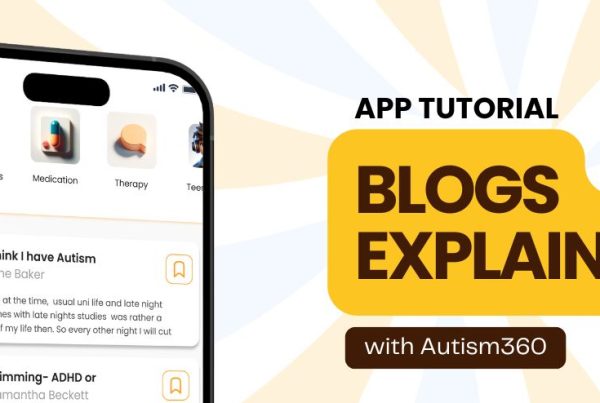
We understand how important it is to have the right tools to support your child’s growth and learning, especially at home. That’s why the Autism 360 App is here to help!
This tutorial shows you how to browse the resources in the app, what the video and file icons mean, and how to get a resource sent to your inbox so you can view or print it. Watch the video above or follow the steps below.
📲 Try the Autism 360 App, Free for 7 Days!
Start your journey today with a 7 day free trial: 👉 Download the Autism 360 App
What you’ll need
- The Autism 360 App on your phone or tablet
- Access to your email inbox (resources are sent there)
- A printer, if you’d like a paper copy
Explore a World of Helpful Resources
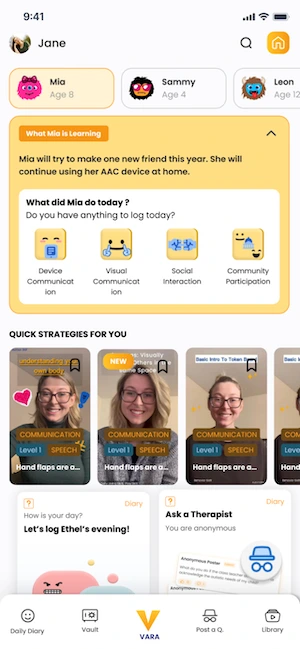
Inside the app, you’ll find a wide range of resources on popular topics, all designed to help you create a fun, structured, and educational environment at home.
Simply tap the arrows to browse through the available tools and guides.
Understanding the Icons
When exploring the resources, you’ll notice two types of icons:
- 🎥 Video Icon: These resources include step-by-step videos to show you exactly how to use them.
- 📄 File Icon: These come with a PDF preview but do not include a video.
Found a Resource You Like?
- Tap the e-mail button under the resource thumbnail.
- Head over to your email inbox. You’ll receive a message from us with your file.
- Tap the Download button in the email to access it.
- View the file on your device or print it out for hands-on use.
If the email doesn’t arrive within a few minutes, check your spam or promotions folder.
Tips for Using Resources With Your Child
- Start with one resource that fits a part of the day that feels hard right now, such as mornings or bedtime.
- For resources with a video icon, watch the video first so you feel confident before showing your child.
- Print and laminate the resources you use every day so they last longer.
- Keep printed visuals where they’re needed, like the bathroom, front door or kitchen.
- Share copies with your child’s educators or carers so everyone uses the same supports.
Frequently Asked Questions
What’s the difference between the video and file icons?
Resources with a video icon include a step-by-step video showing how to use them. Resources with a file icon come with a PDF preview but no video.
Can I print the resources?
Yes. Once you download a resource from the email we send, you can view it on your device or print it for hands-on use.
Start supporting your child’s development today: download the Autism 360 App and explore all the tools waiting for you!
Explore the Autism360 App Tutorial:
🤝 How to Book a One-on-One Session
Learn how to schedule personalized one-on-one sessions in the Autism360 app.
❓ How to Post a Question
Step-by-step guide on posting your first question during your initial visit to the Autism360 app.

Rachael Young is a behavior analyst with Autism 360, specializing in tailored, evidence-based support that improves daily life for children and their families. She is an Adjunct Instructor at Arizona State University, where she trains the next generation of behavior analysts, and is completing a PsyD in Clinical Psychology to deepen her clinical practice. Rachael is proud to identify as neurodivergent, and that lived perspective shapes the empathy and practicality of her work. She writes about ABA, autism in girls and women, co-occurring conditions and the teen years.