
Ever scroll through a list of questions and think, “That’s so me”? Now you can show it instantly! The Autism360 app, one of the leading apps for autism, brings you the new Emoji Reaction feature to make your experience more interactive, supportive and fun.
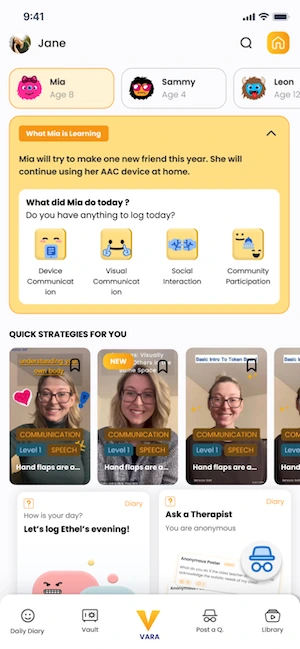
This short tutorial is for parents who use the questions section of the app. It shows you how to read other people’s reactions, like a helpful comment and add your own emoji reaction, all without typing a word.
See What Others Are Feeling 😊😲💡
As you browse through questions, you’ll notice little emojis next to them. These show how others have reacted. It’s a quick way to see what’s resonating with the community.
Connect with Comments You Agree With 👍
Love a comment from a therapist or another member? Tap the like button to show your support. It helps highlight helpful or relatable advice. Changed your mind? No problem. Just tap again to remove the like.
Express Yourself with Emojis 🗯️
When a question really hits home, react with one of three emojis under the post. It’s a simple way to say, “Yes, I get this,” without typing a thing.
And don’t worry if you pick the wrong one. You can easily tap again to change your reaction.
Quick Steps: How to React with Emojis to Questions
- Open the questions in the app and browse the list.
- Look at the emojis next to each question to see how others have reacted.
- To support a comment, tap the like button. Tap it again to remove the like.
- To react to a question, tap one of the three emojis under the post.
- Picked the wrong one? Tap again to change your reaction.
Why It Matters
This feature is more than just fun. It helps build connection and understanding. By reacting with emojis, you’re not only expressing yourself but also letting other parents know they’re not alone. The questions community is one part of VARA by Autism360, alongside the diary, courses and therapist chat.
- On a busy day, a quick reaction is an easy way to stay connected when you don’t have time to write.
- Questions with lots of reactions are often a good place to start reading, because many parents found them relatable.
- Liking a helpful therapist comment makes useful advice easier for other parents to find.
So go ahead, explore the questions, drop a few emojis and feel the support of a community that truly gets it. 💬✨
Frequently Asked Questions
Can I change or remove my reaction?
Yes. Tap again to change your emoji reaction, and tap the like button a second time to remove a like.
How many emoji reactions are there?
You can react to a question with one of three emojis shown under the post.

Read More On:
A simple guide to view and manage your child’s progress using the Daily Diary feature.
💳 How to Update Billing Information
Step-by-step instructions to update and manage your billing information in the Autism360 app.

Rachael Young is a behavior analyst with Autism 360, specializing in tailored, evidence-based support that improves daily life for children and their families. She is an Adjunct Instructor at Arizona State University, where she trains the next generation of behavior analysts, and is completing a PsyD in Clinical Psychology to deepen her clinical practice. Rachael is proud to identify as neurodivergent, and that lived perspective shapes the empathy and practicality of her work. She writes about ABA, autism in girls and women, co-occurring conditions and the teen years.