


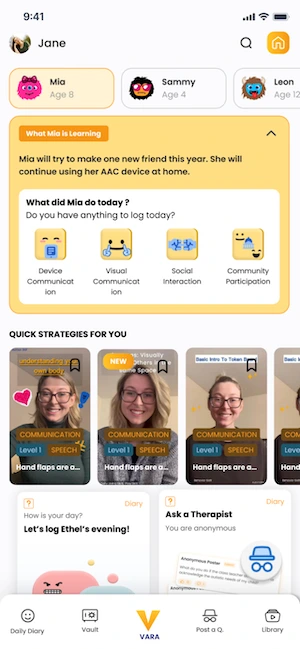
This short tutorial shows parents in the Autism360 program how to find their program in the Autism360 app, read their goals and work through the tasks their coach sets. It only takes a few minutes to learn. Once you know where everything is, you can check in on your plan whenever it suits your family.
If you’re a member of the Autism360 program, you get full access to the Autism360 app, a powerful tool to help you stay on track and connected with your coach.
📱 Download the Autism 360 App with a 7 Day Free Trial. Start here: https://www.autism360.com/
What You’ll Need
- The Autism360 app installed on your phone.
- An Autism360 program membership, which gives you access to the Program area and your coach.
Find Your Program Easily
Once you open the app, go to the More screen and tap on the Program button. This will take you to your personalized program area.
View and Understand Your Goals
After selecting your program, you’ll see a list of your goals. Tap any goal to read a quick summary and get more details.
Start Working on Your Tasks
Tap on a goal to see your next tasks. These are designed to help you take small, steady steps forward. Your coach will also add notes and suggestions to guide your progress.
Keep Making Progress
As you complete your tasks, your coach will continue to support and update your plan. This keeps everything organized and moving in the right direction.
Track Your Achievements
The app also keeps an archive of everything you’ve achieved so far. It’s a great way to see how far you’ve come and feel proud of your efforts.
How to Use Your Program Tasks With Your Child
The tasks in your program are meant to fit into everyday family life, not add another job to your list. These steps can help:
- Start with one goal. Pick the goal that matters most to your family right now and focus on its next task before moving on.
- Read your coach’s notes first. They often explain why a task matters and how to set it up, so a quick read saves guesswork later.
- Fit tasks into routines you already have. Mealtimes, bath time, getting dressed and car rides are natural moments to practice without making it feel like a lesson.
- Follow your child’s lead. Use the things your child loves, such as a favorite toy, song or topic, as the way in. Interest makes connection easier for everyone.
- Respect every way your child communicates. Speech, gestures, signs, pictures and AAC devices all count. If your child is non-speaking, adapt the task so they can respond in the way that works for them.
- Pause if it isn’t working today. If your child is tired, overwhelmed or simply not interested, stop and try another time. Make a note of what happened so you can share it with your coach. The daily diary in the VARA app is a handy place to keep those notes.
- Look back regularly. Open your achievements archive every week or two to notice progress you might otherwise miss.
Tips
- Set a regular time each week to open the Program area, such as Sunday evening, so you know what’s coming up.
- Jot down questions as they come up so you have them ready for your coach.
- Share the current task with a partner, grandparent or other carer so everyone uses the same approach.
- Celebrate small wins with your child. Progress often comes in small steps.
Frequently Asked Questions
Where do I find my program in the app?
Open the app, go to the More screen and tap Program.
Who adds my tasks and notes?
Your coach. They add notes and suggestions to your tasks and update your plan as you complete them.
Can I see what I’ve already finished?
Yes. The app keeps an archive of everything you’ve achieved so far, so you can look back at your progress at any time.
Note: Ready to join our 90-day program? Click here
Read on to explore the Autism360 App Tutorial:
🛠️ Workshop Explained
Learn how the Autism360 app workshops work and what you can gain from them.
💾 How to Save and Bookmark Content
Step-by-step guide on saving and bookmarking content in the Autism360 app.

Rachael Young is a behavior analyst with Autism 360, specializing in tailored, evidence-based support that improves daily life for children and their families. She is an Adjunct Instructor at Arizona State University, where she trains the next generation of behavior analysts, and is completing a PsyD in Clinical Psychology to deepen her clinical practice. Rachael is proud to identify as neurodivergent, and that lived perspective shapes the empathy and practicality of her work. She writes about ABA, autism in girls and women, co-occurring conditions and the teen years.


