If you’re thinking about canceling your Autism360 app subscription, we’re here to make the process simple and straightforward. This short tutorial is for parents and caregivers who pay for the app through Apple, Google Play or a credit or debit card (Stripe). Follow the steps below based on your payment method; it usually takes just a few minutes.
Before you start
- Have your phone or tablet with the Autism360 app installed and make sure you’re logged in to your account.
- Check how you originally paid (Apple, Google Play or card), because that decides where the cancellation is completed. If you only want to change your card, you can update your billing information instead.
- If you paid through Apple or Google Play, have your Apple ID or Google account login handy.
1. Access Your Profile
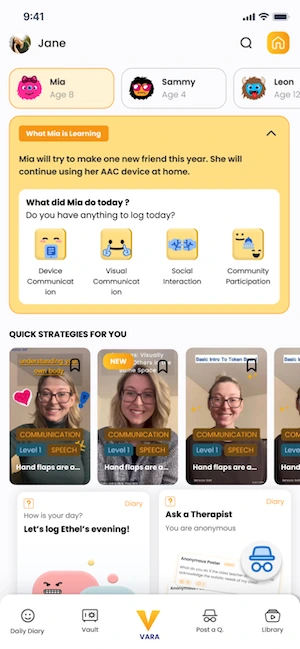
Start by navigating to your profile. This is where you’ll find all your billing and subscription details. Your profile gives you an overview of your current plan, payment method, and status.
2. Go to Settings via the Help Tab
From your profile, click on the Help tab. Then, select the Settings button. This will take you to the page where you can view and manage all your subscription and payment information.
3. Update Your Subscription Status
Under the Subscription tab, look for the Update Subscription Status button. Clicking this will guide you through the cancellation process.
4. Follow Instructions Based on Your Payment Method

Depending on how you originally paid, the steps to cancel will differ:
- Apple (iOS): You will be redirected to manage your subscription via your Apple ID account settings.
- Android (Google Play): You’ll be directed to your Google Play account to handle the cancellation.
- Stripe (Credit/Debit Card): Follow the prompts directly within the app or website.
Can’t open the app? If you subscribed through Apple, you can also cancel from your iPhone or iPad: open Settings, tap your name, then Subscriptions, and choose Autism360. If you subscribed through Google Play, open the Play Store, tap your profile icon, then Payments & subscriptions and Subscriptions. Deleting the app on its own does not cancel a subscription.
5. If You Used Stripe, We’d Love Your Feedback
If you cancel your subscription through Stripe, we’d appreciate your feedback. Your input helps us understand what we can do better and improve your experience.
6. What Happens After You Unsubscribe?
Once your subscription is canceled, you’ll become an unsubscribed user. This means you’ll have limited access to certain features within the app. You can resubscribe at any time to regain full access to everything in the VARA app.
Frequently asked questions
Does deleting the app cancel my subscription?
No. Deleting the app on its own does not cancel a subscription. Use the steps above, or your Apple or Google Play subscription settings, to cancel.
Can I come back later?
Yes. You can resubscribe at any time to regain full access to the app’s features.
Check that you’re logged in to the account you subscribed with, then go to your profile, the Help tab and Settings. If you still can’t see it, contact our support team through the app (see the Contact Support tutorial below).
Need help? Learn how to reach our Autism360 support team directly through the autism360 app.

Must Read On :
🎥 How to Explore Our Autism Video Collection Easily
Learn how to browse, play, and save videos from our Autism360 learning library.
💬 Contact Support
Need help? Learn how to reach our Autism360 support team directly through the app.

Rachael Young is a behavior analyst with Autism 360, specializing in tailored, evidence-based support that improves daily life for children and their families. She is an Adjunct Instructor at Arizona State University, where she trains the next generation of behavior analysts, and is completing a PsyD in Clinical Psychology to deepen her clinical practice. Rachael is proud to identify as neurodivergent, and that lived perspective shapes the empathy and practicality of her work. She writes about ABA, autism in girls and women, co-occurring conditions and the teen years.