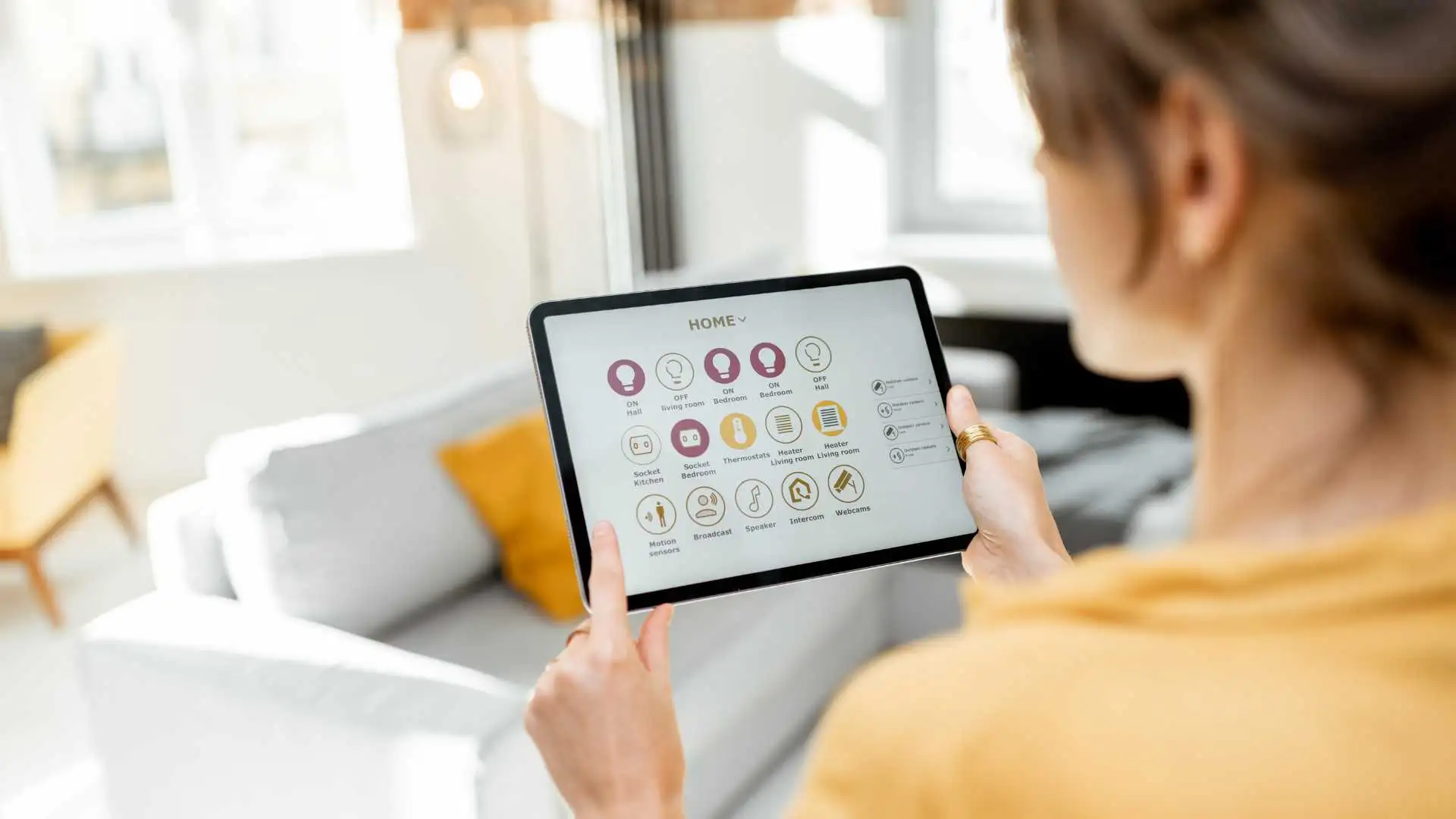
AAC devices for autism help nonverbal (non-speaking), minimally speaking and autistic people communicate by supporting or replacing spoken language. These tools range from simple picture boards to advanced speech-generating tablets, and they can make a real difference to how easily a person can share their needs, thoughts and feelings. AAC devices are a form of assistive technology for autism that helps bridge communication gaps and supports learning, social connection and independence.
Key takeaways: AAC devices for autism
- AAC devices for autism range from simple picture boards to speech-generating tablets, and help autistic people share needs, thoughts and feelings.
- AAC does not stop children from speaking; research suggests it can actually support speech development.
- Top options include LoganTech ProxTalker, Goally’s AAC and Proloquo2Go, which turns an iPad or iPhone into an AAC device.
- Choose with a speech pathologist, weighing your child’s age, communication needs, motor skills, portability and cost, and try before you buy.
- Model words on the device yourself in everyday moments, keep it within reach all day and respond to every message your child sends.
Whether you’re a parent, carer or professional, AAC systems offer powerful ways to build meaningful interactions, independence and connection. If you’re new to AAC for autism, this guide is a good place to start. Below, we’ll explore the top-rated AAC devices for autism, how to choose the right one, and how to help your child start using it.
What is an AAC Device?
An AAC (Augmentative and Alternative Communication) device is a tool that helps people who find speaking difficult, or who are nonverbal, communicate more easily. These devices range from simple low-tech options, like picture boards and communication books, to high-tech solutions, such as tablets for autistic children and adults or speech-generating devices with customizable apps.
AAC devices help people express their needs, thoughts and feelings, which supports social connection, learning and independence. They are widely used by children and adults with autism, speech delays, cerebral palsy and other conditions that affect speech. An autism communication device is not a last resort or a sign of giving up on speech. It is simply another valid way to communicate.
Autism and the Role of AAC Devices
Autism is a neurodevelopmental difference that affects how a person communicates, connects with others, experiences the senses and moves through the world. It is called a spectrum because it looks very different from one person to the next, and each autistic person has their own mix of strengths and support needs.
Autism is present from birth and is usually first noticed in early childhood. Researchers believe it comes from a complex mix of genetic and environmental factors. Autism is not an illness, and support isn’t about changing who your child is. The aim of support is to help your child communicate, learn and feel safe in their own way.
Many autistic people communicate differently. For example, they may repeat words or phrases (echolalia), use less eye contact, read social cues differently or prefer to communicate in writing or pictures. Some autistic people speak fluently but lose access to speech when they are stressed or overwhelmed. AAC can help in all of these situations.
How Many Types of AAC Devices are there?

There are two main types of AAC (Augmentative and Alternative Communication): unaided AAC and aided AAC. Let’s explore them in more detail below.
1. Unaided AAC Device:
Unaided AAC doesn’t require any tools or devices. It relies on the person’s body to communicate, using things like gestures, facial expressions, body language and sign language (such as Key Word Sign, which is widely used in Australia). It’s often used when someone has good motor skills but finds speech hard.
2. Aided AAC Device:
Aided AAC uses tools or equipment to support communication. These can be:
- Low-tech devices: picture boards, communication books or letter charts. They don’t need batteries or electricity.
- High-tech devices: tablets or speech-generating devices (SGDs), which can produce spoken words or text and often come with customizable apps.
The right type of AAC depends on the person’s abilities, preferences and communication needs. Many people use a mix of both types in different situations, for example a tablet at home and a laminated picture board at the pool.
Low Tech vs High Tech AAC devices
Low-tech AAC devices are simple tools that don’t require batteries or electricity, like picture boards, communication books or alphabet cards. High-tech AAC devices, on the other hand, are electronic tools that use speech-generating technology, such as tablets or dedicated devices with communication software and autism apps designed to support speech and language development.
Examples of Low Tech AAC Devices: Picture Exchange Communication System (PECS), communication boards, alphabet or word boards, flip books with symbols or photos, and gestures or sign language (also considered unaided AAC).
Want to Try Low-Tech AAC?
Download 121 Free PECS Cards to get started with visual communication today!
Perfect for nonverbal individuals and anyone who finds visuals helpful, these printable cards are easy to use at home or school.
👉 Click here to download your free PECS set
Examples of High Tech AAC Devices: iPads with apps like Proloquo2Go or TouchChat, speech-generating devices (SGDs) like Tobii Dynavox or NovaChat, and eye-tracking communication systems.
Speech Generating Devices for Autism
Speech generating devices for autism are high-tech AAC tools that speak out loud when the user selects a picture, symbol, word or typed message. Some are dedicated devices built only for communication, and others are apps on a tablet. Many families like them because the voice output lets a child be heard across a room, in a noisy classroom or by someone who doesn’t know their signs. A speech pathologist can help you work out whether a dedicated device or a tablet app suits your child better.
Who Can Benefit from AAC Devices for Autism?
Anyone who finds speech, communication or self-expression difficult, all of the time or some of the time, can use and benefit from AAC devices and related technologies. This includes children and adults with:
- Autism
- Speech delays
- Childhood apraxia of speech
- Cerebral palsy
- Down syndrome
- Traumatic brain injuries (TBI)
- Other genetic conditions that affect speech
There is no minimum age and no list of skills a child needs before they can start using AAC. Toddlers can begin with a few core words, and older children and adults can use AAC alongside speech.
What are the Advantages of AAC Devices for Autism?
AAC devices offer many benefits for children and adults who communicate differently. Here are the main ones:
Improves communication
With the right AAC device or system, autistic people can share their thoughts, feelings, needs and wants more easily.
When it’s easier to express themselves, autistic people can build closer bonds with friends, family and peers on their own terms.
Boosts independence
By making it easier for autistic people to express their needs, preferences and goals, AAC tools can reduce stress and support independence.
Enhances learning and development
These tools can help children take part in learning activities and show what they know, which is especially important for children whose understanding is greater than their speech suggests.
Boosts self confidence and self esteem
Being able to communicate and be understood can significantly boost an autistic child’s self confidence and self image.
Helps with establishing routines
Many AAC apps include visual schedules that help autistic children know what is coming next. They often use videos or images to break activities into small, manageable steps. Children, teenagers and adults can rely on these visuals to move through their day with less uncertainty, and over time the routine often becomes familiar and calming.
AAC Technologies for People Living with Autism
AAC devices can help young children, teenagers and adults communicate more easily and connect with the people around them. They can be used by parents, educators and speech pathologists, and work best when everyone in the person’s life uses them too.
With the right AAC technology, autistic children can communicate their needs, build sentences, learn new vocabulary, make jokes, ask questions and interact with those around them.
Do AAC Devices for Autism Prevent Kids from Speaking?
The short answer is no. Many parents worry that a device might stop their child from learning to talk. However, research on AAC devices and autism has found that these tools do not stop autistic kids from speaking. Many studies have found that AAC can actually support the development of speech.
This doesn’t mean every autistic child will start speaking after using AAC, or that every child will take to a digital device. It means that, in the research so far, AAC has helped far more often than it has held children back.
Research has not found that trying AAC harms speech development, and speech pathology organizations around the world recommend offering AAC early rather than waiting.
With potential gains in communication and very little downside, AAC is well worth considering.
If relatives worry that a device means giving up on speech, speech pathologist Stacy Badon, who coaches Autism 360 families, puts it simply: “It’s okay to communicate differently even though we know verbal words is the primary acceptable, most common method of communication.” Her advice is to explore pictures, gestures, sign or AAC alongside speech, get everyone in your child’s circle using the same method, and keep modeling words, because your child is listening and filing them away.
AAC can also give a non-verbal (non-speaking) child a way to get their message across even when they can’t speak. For example, an autistic child can press a button to tell you what they need instead of reaching the point of a meltdown from the frustration of not being understood.
Best AAC Devices for Autism

The best AAC devices for autism include LoganTech ProxTalker, Goally’s AAC and Proloquo2Go. Options like the Lightwriter SL50 and GoTalk Express 32 offer advanced speech features, while devices like the Big Talk and Gooshy Communicator are great for younger users.
Each device supports communication, independence and learning, helping autistic people express themselves more easily. Prices, models and availability change often, so check current details with the supplier or your speech pathologist before you buy.
Let’s take a closer look at these AAC devices for autism to get you started:
1. LoganTech ProxTalker
For children who can’t or don’t want to type, this AAC device can be an excellent choice. It uses picture and symbol tags with built-in RF identification chips, and the device speaks the word out loud when a tag is placed on it.
The LoganTech ProxTalker also has a built-in microphone and offers at least six months of battery life thanks to long-lasting batteries.
2. Goally’s AAC
If you want an AAC device that is easy to set up and can help a child start communicating quickly, Goally’s AAC tablet is worth a look. It uses language learning techniques to help autistic children build language skills and independence. This AAC device is also customizable with audio cues. With a simple, attractive interface, Goally’s AAC is a good option for speech development and learning for children of different ages and abilities.
3. FAB Frenchay Alphabet Board
The FAB Frenchay Alphabet Board’s rugged construction makes it suitable for a wide range of environments, including homes, schools, childcare centers, nursing homes, critical care facilities and more.
The AAC device has a waterproof keyboard cover and a solid rubber base with antibacterial and antifungal properties. The alphanumeric keyboard lets nonverbal children who can spell select the numbers and letters they want, while their communication partner checks the keys and says the word. The keys have a smooth, recessed design that helps the user select keys quickly and easily. Its small, pocket size makes it handy at home or on the go.
4. GoTalk Express 32
The GoTalk Express 32 lets children press multiple picture buttons to build meaningful sentences.
This AAC communication device has a grid of images, so autistic children can select several pictures to put a sentence together. It works in two ways: the standard method and the express method.
With the standard method, the child presses a key and the AAC system speaks the chosen word. With the express method, users press several keys in a row to build a sentence, and the device speaks the whole sentence.
Other notable features of this AAC device include a practical, rugged build with a handle, LED lights for quick visual prompting and a shoulder strap for easy carrying.
5. Lightwriter SL40
The Lightwriter SL40 is designed for people who can read and spell but can’t rely on speech. Its text-to-speech function speaks the user’s typed words out loud to the people around them.
The Lightwriter SL40’s dual-display screen makes face-to-face conversation easy. The autistic person types their message while the listener reads it from the screen facing them, which keeps the conversation natural and gives the user an easy way to be heard.
This small AAC device is also lightweight and easy to carry. The SIM card function lets users send text messages to their support network, including friends, family members and colleagues.
Other notable features include built-in buzzers to call for attention, alerts to remind the user of important activities and a built-in TV remote control.
6. Pocket Go Talk 5 – Level Communication Device
The Pocket GoTalk 5-Level device is another good option for on-the-go situations because it’s small and lightweight, fitting easily into the user’s hand or pocket. Its sturdy build allows it to withstand falls and bumps.
It also has a lanyard for wearing around the neck and a loud microphone for use in public areas.
Simply add picture overlays to the front of the device and record your chosen word, phrase or message. You can include pictures of your child’s favorite things as an extra layer of motivation.
7. Lightwriter SL50
Intuitive, customizable features make the Lightwriter SL50 one of the most popular text-to-speech AAC devices available. It has dual screens and forward-facing speakers, so others can see and hear what the user has typed. It also offers a customizable keyboard and word prediction. With Bluetooth connectivity, users can make calls and send text messages, which makes it a handy tool for in-person conversations and much more.
8. Gooshy Step Talk Communicator
The Gooshy Step Talker Communicator’s bright lights, music and vibration make it appealing for young users. It has a moon-shaped, jelly-like button with floating stars that invites young children to press it, and it plays a series of pre-recorded messages. The user presses the button once to hear the first message, twice for the second message, and so on. Depending on the messages you record, the communicator can be used for tasks such as sequencing, multiplication, directions and memorization.
9. Proloquo2Go
An AAC device doesn’t have to be a separate piece of hardware. iOS apps like Proloquo2Go turn an iPad or iPhone into an AAC device. Proloquo2Go is designed for children and adults who can’t rely on speech, and it is widely used by autistic kids who find speaking difficult.
Proloquo2Go features clear symbols, text-to-speech and a database of over 7,000 vocabulary items.
Because Proloquo2Go runs on the iPad, many families don’t need to buy a separate AAC system.
10. Big Talk Assistive Technology Communicator
For people with limited muscle control, the Big Talk Assistive Technology Communicator is worth a try. The device has a large, bright button that is activated by a simple touch. It also has an external switch that can be used to activate other electronic devices, and several can be used together to build a network of communication.
Factors to Consider When Choosing AAC Devices for Autism
There’s no single technology that meets the communication needs of every person on the autism spectrum. Consider the following factors when choosing an AAC device for your child:
1. Your child’s age
Look for an AAC device whose complexity matches your child’s age and stage of development, while leaving room to grow.
2. Your child’s unique communication needs
Will your child use it to communicate basic needs and preferences, or to take part in longer conversations, tell stories and ask questions?
3. Your child’s ability level
Does your child have the fine motor skills to point to a screen or press buttons? If not, options like eye-gaze, switches or larger buttons may suit them better.
4. Usability
Choose an AAC device that is straightforward to set up, operate and carry around.
5. Portability
Consider the AAC device’s size and weight, especially if your child will use it on the go. A device that stays at home in a drawer won’t help at the park or at school.
6. Cost
Compare prices and any extra costs, such as cases, apps and repairs. In Australia, the NDIS can fund AAC as assistive technology, usually with a recommendation from a speech pathologist. Elsewhere, check insurance coverage and other funding options.
How can you tell which AAC option your child actually uses?
When you trial devices or apps, a few notes each day show more than a single therapy session can. Write down which option you offered, where you were, what your child said with it (a request, a comment, a “stop”) and whether they reached for it on their own. After two or three weeks, bring the notes to your speech pathologist so the choice is based on what really happens at home.
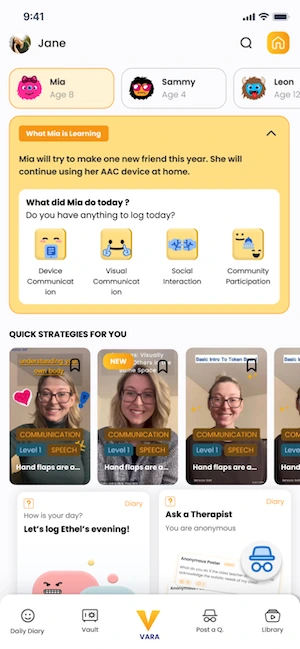
A notebook is fine. VARA’s Daily Diary is built for quick daily notes on what you practiced, what happened, and the wins and challenges, and Insight Reports turn your diary entries into patterns and progress over time that you can share with your child’s clinician, school or a new provider.
 Daily Diary
Finding the Perfect Fit
Choosing the right AAC device for an autistic person works best as a team effort. Here are some tips:
- Reach out to a speech pathologist (also called a speech-language pathologist) for guidance. They can assess your child’s communication needs and recommend suitable devices, and build AAC into wider speech therapy for autism.
- Explore different options. Try out several AAC tools with your child in therapy, at home and at school.
- Notice what your child likes. The best system is often the one your child chooses to pick up.
- Offer continuous support. Therapists, teachers and parents all need to feel comfortable using the AAC device so they can support each child’s individual communication needs.
Where to Buy AAC Devices for Autism
AAC devices for autism are sold by specialist assistive technology suppliers, the device makers themselves, app stores (for AAC apps) and some online retailers. Before you buy, it helps to:
- Try before you buy. Many suppliers, speech pathologists and disability organizations offer trial or loan devices, so your child can test a device for a few weeks first.
- Start with what you have. Many AAC apps run on a tablet you already own, and low-tech picture boards can be printed at home.
- Check funding first. If your child has an NDIS plan, talk to your speech pathologist or support coordinator before buying, as funding often needs an assessment and a written recommendation.
- Ask about support. Find out about warranties, repairs and training, as these matter as much as the device itself.
How to Teach an Autistic Child to Use an AAC Device?
Most children don’t start using an AAC device straight away. Like any new language, AAC is learned by seeing other people use it, many times, in everyday life.
After getting an AAC system for your autistic child, here is how to help them start using it:
1. Demonstrate how to use the device
Start by using the device yourself when you talk to your child. This is called modeling or aided language input. As you speak, press the matching buttons or point to the matching pictures. If you are using signs, sign as you talk. You don’t need your child to copy you. You are simply showing them how the language works, the same way we talk to babies long before they speak.
2. Give the individual access to the AAC device
Keep the AAC system within easy reach all day, not just at therapy time. If you are using pictures, put them where your child can see and reach them. Let your child explore the device freely, including pressing buttons over and over. Exploring and “babbling” with AAC is how children learn where the words are.
This matters at school too. Stacy Badon suggests meeting with your child’s school team, ideally with the speech pathologist, so home and school use a matching method, and stating clearly that the device or picture board stays with your child all day. In her words, “School staff should not be deciding when your child needs to communicate.”
3. Help them use the device
Keep modeling for several weeks before you expect your child to use the device on their own.
When your child wants something, pause and give them time. Point to the device and model the word, for example by pressing “drink” yourself. Some children like gentle physical help, but always follow your child’s lead, and stop if they pull away. Hand-over-hand prompting can feel controlling, so many speech pathologists now recommend modeling instead.
When your child uses the device, respond straight away, just as you would if they had spoken the word. Give them what they asked for if you can, and say the word back to them.
4. Create more Opportunities for the individual to Use the Device
Build in natural chances for your child to communicate with their AAC.
Use things your child loves and knows how to find on the device, such as favorite snacks, toys or activities.
Show them the snack and model its word with their AAC system. Then wait and see if they use their device to communicate.
If they are hesitant, model again and offer help. Make sure your child is relaxed and willing. You want AAC to feel fun and useful, not like a test. Be mindful of your child’s wishes and never force it.
How can you build AAC into snack time?
Snack time is one of the easiest routines to start with because it happens every day and your child already wants something. Keep the device on the table, model the snack word as you hold up the bag, then pause. If your child taps any word, even the wrong snack, respond warmly and model the right one.
Keeping that routine going between therapy sessions is where many families get stuck. VARA’s AI parent coaching gives you guidance between appointments on applying a strategy in everyday moments, so you feel confident you are doing it right. You can ask how to set up AAC at snack time, what to do when your child grabs instead of tapping, or when to add a new word.
AI parent coaching5. Reduce the Prompting
Once your child has used their AAC device for a while, gradually reduce your prompts. Pause for a little longer to see if they will use it on their own. If not, help them, but avoid doing it all for them. Over time, the aim is for your child to use it more and more independently.
6. Teach the individual new words on the device
Once your child has learned a word on their AAC, start modeling new words. Go back to the first step and model each new word in everyday moments. Remember to model more than requests: words like “stop”, “more”, “help”, “finished”, “like” and “funny” let your child comment, protest and share, not just ask for things.
Make sure all the adults in your child’s life use the device in the same way. Share these steps so everyone is on the same page, and respond to every message your child sends, including “no” and “stop”. If you would like guidance between therapy sessions, the VARA app lets you log how your child communicates each day and ask an autism therapist what to model next.
FAQ’s on AAC Device
Does insurance cover an AAC device?
Where to buy AAC devices for Autism?
Are there any Free communication device for autism?
Conclusion:
AAC devices help nonverbal people, and those who find speech hard some or all of the time, express their feelings, preferences and dislikes. They give autistic people an augmentative and alternative way to communicate, and they can significantly improve self-expression, social connection and independence.
AAC is not a step backwards or a replacement for your child’s voice. It is their voice, in a form that works for them. Understanding how AAC devices work, and making sure our children have them, gives non-speaking people a way to connect with family, friends and peers, and to be heard on their own terms.

Nic Dugdale is a Speech Language Pathologist at Autism 360 with more than nine years of practice across clinical and educational settings. Nic specializes in supporting children and young people with higher support needs, including those who are non-speaking, communicate through augmentative and alternative communication (AAC), or express distress through behavior.
Throughout their career, Nic has focused on delivering high-quality, holistic and neuro-affirming support that gives every client functional communication skills for life. Their work starts from the belief that every child communicates, and that the job of the adults around them is to find and strengthen the method that works for that child, whether that is speech, a device, sign or gesture.
Nic has strong coordination skills built through managing complex caseloads, working in transdisciplinary teams alongside occupational therapists, psychologists and educators, and supervising speech pathology students.
At Autism 360, Nic coaches parents to support communication at home, and writes about AAC, non-speaking autistic children and functional communication.
Registration: Speech Pathologist, member of Speech Pathology Australia, member number 26368.